How Can We Help?
How to add web chat to your website?
Webchat allows your business to have a chatbot on your own website that doesn’t depend on any other platform like Facebook, Telegram, WhatsApp, or Google. Your customers no need to create an account to start interacting with your chatbot.
If you collect email or a phone number on the webchat, your business will be able to send SMS or email at any time.
Adding the code to your website
1 – Include the below code in the body or footer of your website.
<script src="https://app.botsumo.io/webchat/plugin.js"></script>
<script>
      ktt10.setup({ pageId: YOUR_PAGE_ID});
</script>
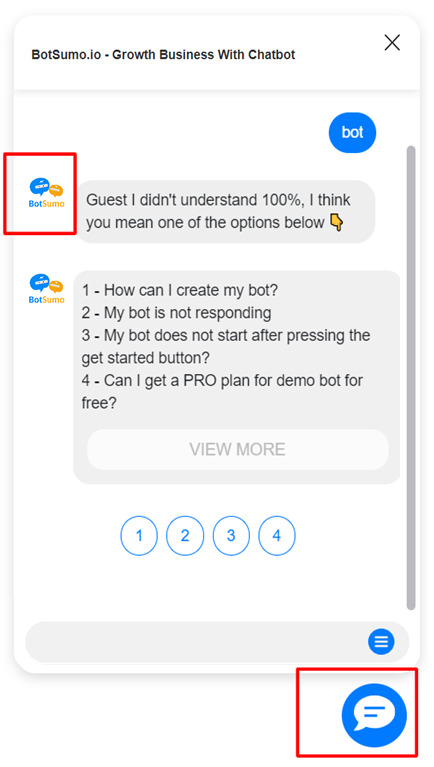
This simple code will add a webchat similar to the below image.

The webchat plugin is very flexible and allows many customizations
| Option Name | Possible Values/Description | Default |
| type | floating/window/container container: include the chatbot inside any HTML element window: the chatbot will open on a new window | floating |
| element | Only used if “type” is “container”. example “#div1” | |
| color | any color name or color code | #007BFF |
| hideHeader | Hide the session that contains the business name true/false | false |
| ref | any ref/flow/step ID to be sent automatically once the user clicks on the chat ICON. Set ref as “get_started_button” to automatically send the Welcome flow. | |
| showPersona | true/false | false |
| hideComposer | true/false | false |
| template | template1/template2 | |
| icon | the chat icon that shows on bottom | right | |
| right | Distance of the icon from the left edge of the screen | 20px |
| bottom | Distance of the icon from the bottom edge of the screen | 20px |
Changing Color
<script src="https://app.botsumo.io/webchat/plugin.js"></script>
<script>
      ktt10.setup({ pageId: YOUR_PAGE_ID, color: "#ff0000"});
</script>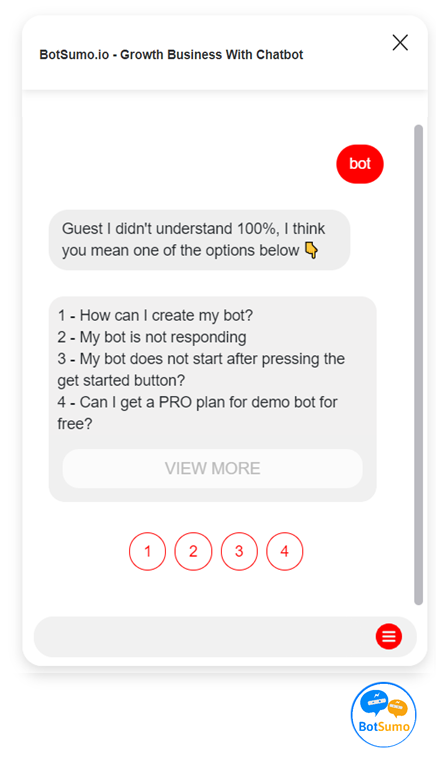
Changing template
Currently, we offer only 3 templates for the webchat. We will create more templates soon.
<script src="https://app.botsumo.io/webchat/plugin.js"></script>
<script>
      ktt10.setup(
        {
            pageId: YOUR_PAGE_ID,
            color: "#007BFF",
            hideHeader: true,
            template: "template1"
        }
      );
</script>
<script src="https://app.botsumo.io/webchat/plugin.js"></script>
<script>
      ktt10.setup(
        {
            pageId: YOUR_PAGE_ID,
            color: "#007BFF",
            hideHeader: true,
            template: "template2"
        }
      );
</script>
Show the page image as persona
<script src="https://app.botsumo.io/webchat/plugin.js"></script>
<script>
      ktt10.setup({ pageId: YOUR_PAGE_ID, showPersona: true});
</script>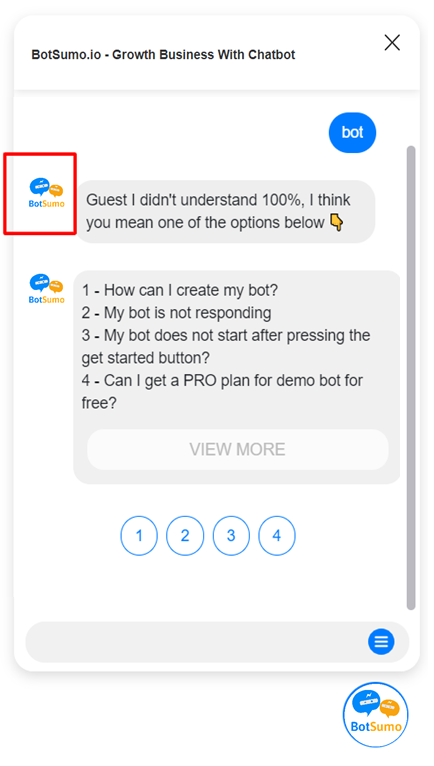
Change the chat icon
<script src="https://app.botsumo.io/webchat/plugin.js"></script>
<script>
      ktt10.setup({ pageId: YOUR_PAGE_ID, showPersona: true, icon: "YOUR_IMAGE_URL"});
</script>